Fulqrum Publishing Home   |   Register   |   Today Posts   |   Members   |   UserCP   |   Calendar   |   Search   |   FAQ

Go Back   Official Fulqrum Publishing forum > Fulqrum Publishing > IL-2 Sturmovik: Cliffs of Dover

IL-2 Sturmovik: Cliffs of Dover Latest instalment in the acclaimed IL-2 Sturmovik series from award-winning developer Maddox Games.


Thread Tools Display Modes
Prev Previous Post   Next Post Next
  #3  
Old 04-22-2013, 03:05 AM
Sokol1's Avatar
Sokol1 Sokol1 is offline
Approved Member
 
Join Date: Oct 2007
Posts: 727
Default

Danjama,

To CLoD you need Newview 3.7X(15.01.2010).

To work need enable TrackIr in CLoD conf.ini (trackIRUse=1).
Newview emulate TrackIr.

Initially I found key issues similar with these related. So I use K.I.S.S. principle.

Cleaning all assigns in Newview config, they came with exotics POV controls mapped, like instant check six, "Linda Blair" visions, automatic sky scan, HAT clicks, etc...

In CLoD Setup > Controls erase all keys mapped to "Pan View" and "Snap View".

Now I have POV control in HAT (like CLoD mouse view - that I alternate with TrackIR use*).

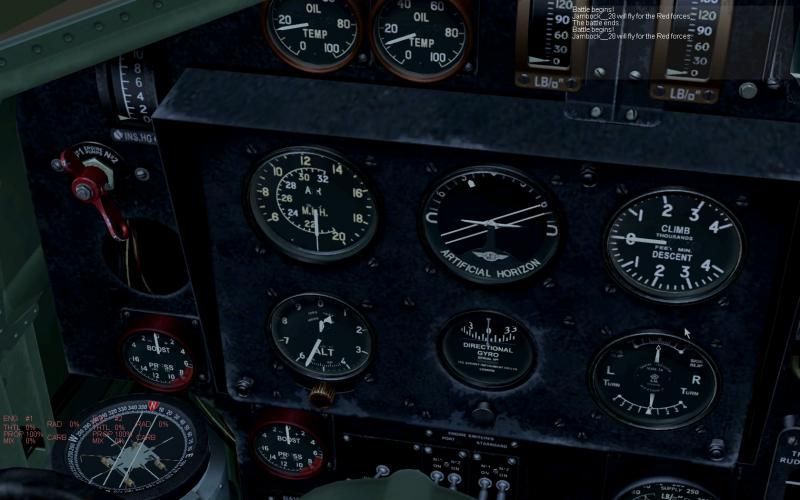
a key to "Center vision slow" and some UView (User view) with 6DOF, to look straight into 109 gunsight without use "infamous" "Lean to Gunsight/Unfast/Loose shoulder straps" (Shift+F1) and associated FOV restriction (30), another to check Blenheim compass.

Some tips that I posted in SimHQ:
Quote:
To use keyboard commands in NewView (.37x) go in
"Additional Settings" - tab "Miscellaneous" and ticked the box for

"Direct keyboard scan(LockOnMode)

How to active 6DOF in NewView for center gunsight of BF-109 without the "Lean to Gunsight" (Shift+F1) annoying command and associated FOV restriction.

Quote:

Additional settings > UView coordinates
tick "6DOF" box and press "6DOF setup"
In "Translation (Camera Position)" configure as:

X-axis "-690" One touch -Instant - Freeze
Y-axis "-700" One touch -Instant - Freeze
Z-axis "20" One touch - Instant - Freeze

Notice the negative values in X and Y.

Close and in "Uview coordinates" tab click in "APPLY"
and now click in the gray folder with "?"
In the newt window assign one joystick or key to Uview1.
Hit "APPLY" again, leave, open CloD and test with Bf-109.
This, plus a button for >Centering > "Center view slowly(Press once)" or "Center without return (Instant)" make a pleasure shooting with Bf-109 for one without TrackIR.


In the same way you can create a Uview2,3, 4...30 to look at Blenheim/Spit/Hurri compass (one for each), etc.

Obvious this center view for Bf-109 decentralizes for another planes.
Dont worry, create a profile (NewView .INI) for Default and another for Bf-109 (you can create up to 10), and in game change then with "Ctrl+Shift+Alt+1, 2, 3...)

Quote:
UView to check Blenheim compass:


Rotation (Camera direction)
X: 1090
Y: 3638
Translation
dX: -15327
dY: -16383
dZ: 16383
Download Newview 3.7x (with Mr.Mk.X config)

http://narod.ru/disk/45523770001.2fc...w_bob.rar.html

Topic in Sukhoi:

http://www.sukhoi.ru/forum/showthrea...575&viewfull=1

Sokol1
Reply With Quote


Posting Rules
You may not post new threads
You may not post replies
You may not post attachments
You may not edit your posts

BB code is On
Smilies are On
[IMG] code is On
HTML code is Off

Forum Jump


All times are GMT. The time now is 09:24 AM.


Powered by vBulletin® Version 3.8.4
Copyright ©2000 - 2025, Jelsoft Enterprises Ltd.
Copyright © 2007 Fulqrum Publishing. All rights reserved.