
|
|
#1
 02-25-2013, 07:59 AM
|
|||
|
|||
 other request
Can someone give me the image below in layer:
[IMG]  [/IMG] [/IMG]Because I can not find a tutorial in my language and English is too complicated to understand without a translator. 
Last edited by E.F.Hartmann; 02-25-2013 at 08:30 AM. 
|
|
#2
02-25-2013, 03:18 PM
|
||||
|
||||
|
You need to use the 'fuzzy select' tool to remove the unwanted part of the image. This is the tool you need in Gimp.
http://photo-info.co.nz/files/gimp-wand.jpg http://askubuntu.com/questions/28108...c-wand-in-gimp Click with the tool on the are you want to remove. Add to your selection with shift+click. Use alt+click on the parts you want to deselct. Then press 'delete'. You need to learn this simple technique, it is the most common thing you will need to do. .
__________________
All CoD screenshots here: http://s58.photobucket.com/albums/g260/restranger/ __________ 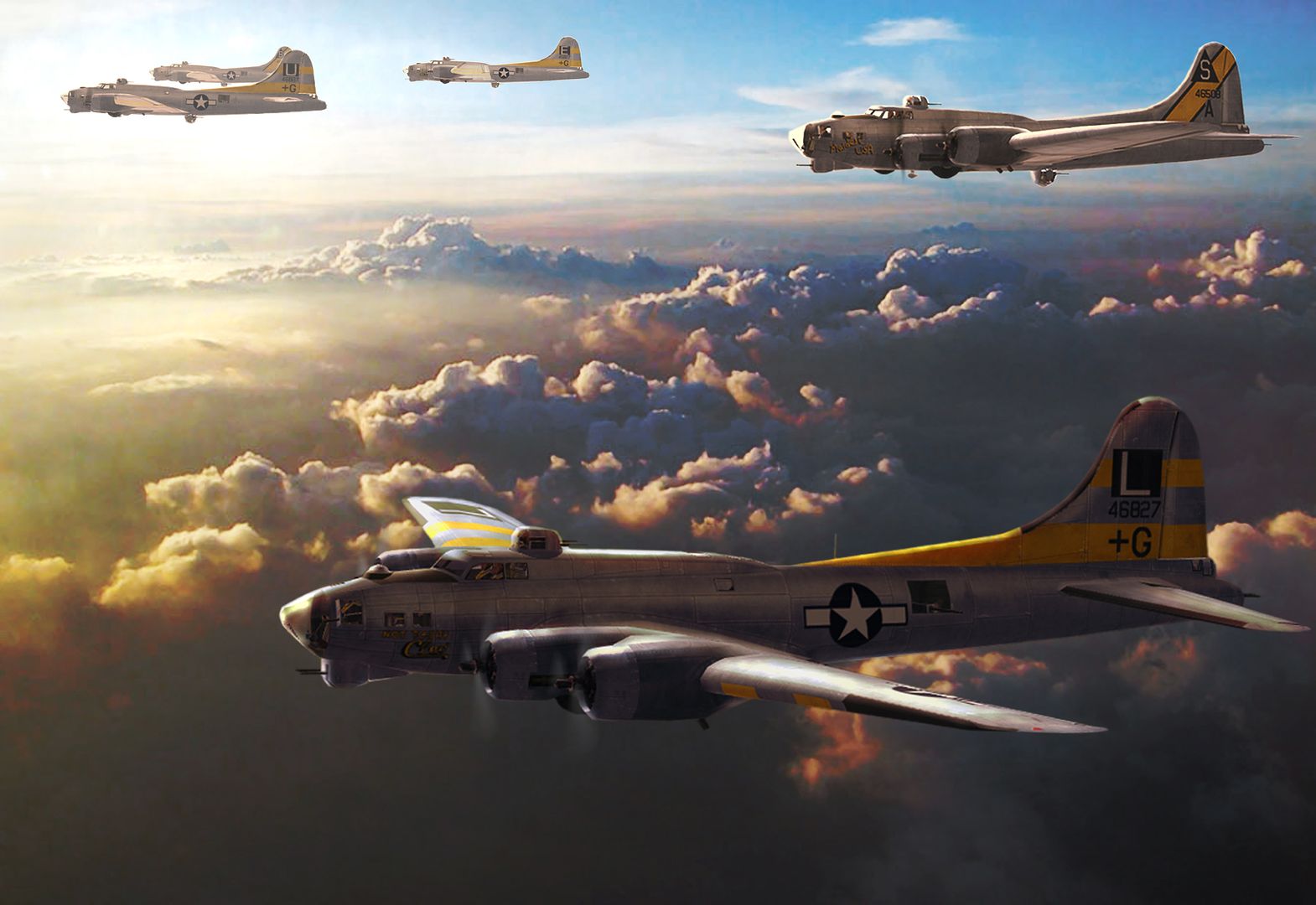 Flying online as Setback.
|
|
#3
02-26-2013, 04:33 PM
|
|||
|
|||
|
Thank you for the help. This is cool
|
|
#4
02-27-2013, 07:21 PM
|
||||
|
||||
|
Hi E.F.HARTMANN
I have sent a PM with a Link to the file in Layered PSD Format. Regards Keith 
|
|
#5
02-28-2013, 11:02 AM
|
|||
|
|||
|
Hi Checkmysix
Thank you. cool 
|
 |
|
|


 Linear Mode

