
|
|
#1
 11-02-2011, 03:17 AM
|
|||
|
|||
 black box in-flight data recorder
Howdy all
Figured I would post my 'black box' script and corresponding mission file. It is a basic flight test data recorder, nothing fancy, nothing new just took a few different examples and put them into one script file. I made if for those who are into testing, but might not be into C# programing. The script does two things; one it displays to the screen (HUD) the time, heading, altitude, speed, and air temp, and two it logs this data to a csv file on the root of your C drive called 'FLIGHT_TEST_DATA.CSV'. If ya have MS EXCEL you can open er up and do all sorts of stuff with it. Here is the script code Code:
//-$debug
using System;
using System.Threading;
using System.Collections.Generic;
using maddox.game;
using maddox.game.world;
using maddox.GP;


public class Mission : AMission
{
    //flag
    bool done = false;

    //Create Stream
    System.IO.StreamWriter sw;

    //Log Line
    string str_log = System.String.Empty;

    //Create Log File
    System.IO.FileInfo fi = new System.IO.FileInfo("C:\\FLIGHT_TEST_DATA.CSV");

    //Script Main
    public override void OnTickGame()
    {
        //Init Ticker
        base.OnTickGame();

        //loop rate set to ~1/30th of a second, i.e. 30 ticks = ~1 second
        if (Time.tickCounter() % 30 == 1)
        {
            //Get player aircraft
            AiAircraft curPlane = GamePlay.gpPlayer().Place() as AiAircraft;

            if (curPlane != null)
            {
                //Instrumentation - Machine Spatial
                double I_VelocityIAS = curPlane.getParameter(part.ParameterTypes.I_VelocityIAS, -1);
                double I_Altitude = curPlane.getParameter(part.ParameterTypes.I_Altitude, -1);
                double I_Variometer = curPlane.getParameter(part.ParameterTypes.I_Variometer, -1);
                double I_MagneticCompass = curPlane.getParameter(part.ParameterTypes.I_MagneticCompass, -1);

                //Parameters - Machine Spatial
                double Z_Overload = curPlane.getParameter(part.ParameterTypes.Z_Overload, -1);
                double Z_AltitudeAGL = curPlane.getParameter(part.ParameterTypes.Z_AltitudeAGL, -1);
                double Z_AltitudeMSL = curPlane.getParameter(part.ParameterTypes.Z_AltitudeMSL, -1);
                double Z_VelocityIAS = curPlane.getParameter(part.ParameterTypes.Z_VelocityIAS, -1);
                double Z_VelocityTAS = curPlane.getParameter(part.ParameterTypes.Z_VelocityTAS, -1);
                double Z_VelocityMach = curPlane.getParameter(part.ParameterTypes.Z_VelocityMach, -1);
                double Z_AmbientAirTemperature = curPlane.getParameter(part.ParameterTypes.Z_AmbientAirTemperature, -1);

                //Game Time
                double dtime = Time.current();

                //Log Header
                if (done == false)
                {
                    //Write Header
                    sw = fi.AppendText();
                    sw.WriteLine("TIME,HDG,ALT,IAS,ROC,TEMP");
                    sw.Close();
                    done = true;
                }

                //Log Data
                str_log =   dtime.ToString("0.00") + ","                //TIME
                            I_MagneticCompass.ToString("0.00") +  ","   //HDG
                            I_Altitude.ToString("0.00") +  ","          //ALT
                            I_VelocityIAS.ToString("0.00") +  ","       //IAS
                            I_Variometer.ToString("0.00") +  ","        //ROC
                            Z_AmbientAirTemperature.ToString("0.00");   //TEMP

                sw = fi.AppendText();
                sw.WriteLine(str_log);
                sw.Close();

                //Display HUD
                GamePlay.gpHUDLogCenter("TIME: " + dtime.ToString("0.00") +                         //TIME
                                        "    HDG: " + I_MagneticCompass.ToString("0.00") +          //HDG
                                        "    ALT: " + I_Altitude.ToString("0.00") +                 //ALT
                                        "    IAS: " + I_VelocityIAS.ToString("0.00") +              //IAS
                                        "    ROC: " + I_Variometer.ToString("0.00") +               //ROC
                                        "   TEMP: " + Z_AmbientAirTemperature.ToString("0.00"));    //TEMP
            }
        }
    }
}
Code:
[PARTS] core.100 bob.100 [MAIN] MAP Land$English_Channel_1940 BattleArea 150000 100000 100000 150000 1000 TIME 12 WeatherIndex 0 CloudsHeight 1000 BreezeActivity 10 ThermalActivity 10 player BoB_RAF_F_FatCat_Early.000 [GlobalWind_0] Power 3.000 0.000 0.000 BottomBound 0.00 TopBound 1500.00 GustPower 5 GustAngle 45 [splines] [AirGroups] BoB_RAF_F_FatCat_Early.01 [BoB_RAF_F_FatCat_Early.01] Flight0 1 Class Aircraft.SpitfireMkIIa Formation VIC3 CallSign 28 Fuel 100 Weapons 1 SetOnPark 1 Skill 1 1 1 1 1 1 1 1 [BoB_RAF_F_FatCat_Early.01_Way] TAKEOFF 141594.60 233985.67 0 0 NORMFLY 140789.51 233939.32 10000.00 300.00 [CustomChiefs] [Stationary] [Buildings] [BuildingsLinks] C:\Users\<YOUR NAME HERE>\Documents\1C SoftClub\il-2 sturmovik cliffs of dover\missions\Single Than from the FMB open the 'black_box.mis' file and select 'Play Mission'! When yer done, goto the root of your C drive and there you will find the 'FLIGHT_TEST_DATA.CSV'. Note after each run, you should rename this file, because each time you run the mission it just keeps adding to (append) this file Also keep in mind parr.. The HUD display and log file have some tumble weed looking values while the plane is on the ground, once she gets up in the blue the values seem to be fine, Also note the ROC value in the script is the indicated value, that is to say it is the value used to drive the cockpit gauges. Now on the spit, the gauge has a max of 4000fpm, and thus the indicated value is limited to that value, even though the ROC is higher than that. When I tested a 109E4 the ROC value was stuck at zero.. So there are some issues, but, there are other values you can use for ROC, but I have not had enough time to ponder over them to figure out them thar units yet. That's all I can recollect fer now, try er out and let me know what ya think. That's about it parr, good luck! Oh, if yah are lazy like me, below is an attached zip file you can dl that has all the above code and an example track Last edited by FST; 11-02-2011 at 01:47 PM. 
|
|
#2
11-02-2011, 04:13 PM
|
|||
|
|||
|
Thanks for sharing. I think it might be useful.
I followed all the instructions but I do not get it to work. I have opened a new window of information and I have added all possible data, but no data appears from the script and dont create the CSV file at end of flight. Any help, please?
|
|
#3
11-02-2011, 10:01 PM
|
|||
|
|||
|
Quote:
Quote:
Quote:
Code:
1) unzip the attached zip file (black_box.zip) into your '\missions\Single' folder. 2) from the Clod menu start the full mission builder (under Extras). 3) if the Clod file explorer does not show up, click on File->Load Mission. 4) open the mission called 'black_box.mis', note you will not see the 'black_box.cs' file listed. 5) after it opens, click on Edit->Script than click on the Script tab, there you should 'see' the script code Let me know how far ya get in those steps, than we can talk more PS note in step one you have two options as to where to unzip the files 1) the dir where the game is installed 2) your USER folder note below the bold USER, on your PC you will see your log in 'USER' name Below are the two 'typical' paths, either one should work, but I typically use the USER path C:\Users\<USER>\Documents\1C SoftClub\il-2 sturmovik cliffs of dover\missions\Single C:\Program Files\Steam\SteamApps\common\il-2 sturmovik cliffs of dover\missions\Single Oh one more thing, that attached zip also has a track file in it (black_box.trk), you can delete it or move it to the \records folder assuming you want watch it at some point
|
|
#4
11-03-2011, 04:52 PM
|
|||
|
|||
|
Thank you for your reply.
It's hard for me to write in English, so I put pictures as answers: Mis and cs files are from your zip file, and unzziped here: 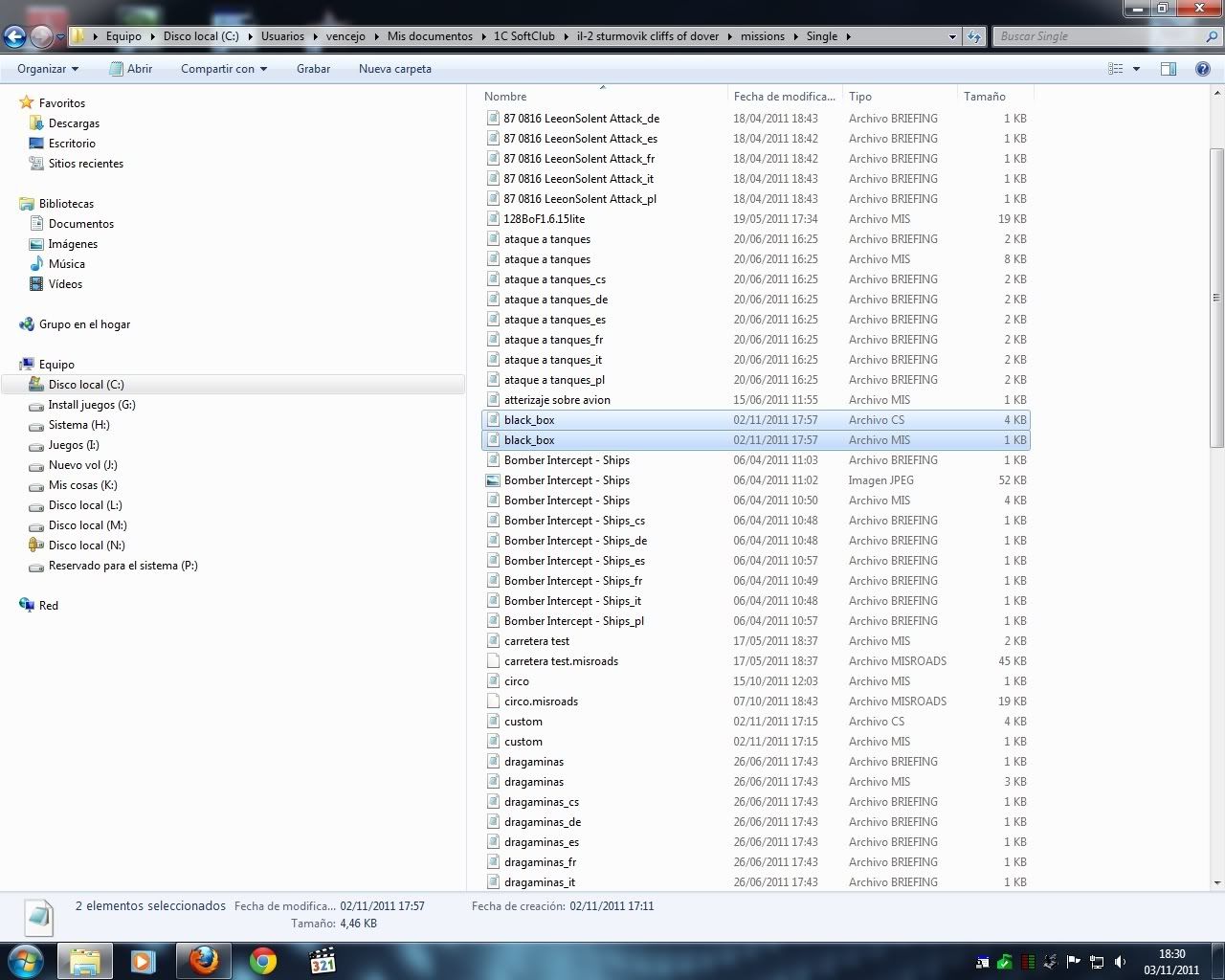 and i can open it in full mission builder: 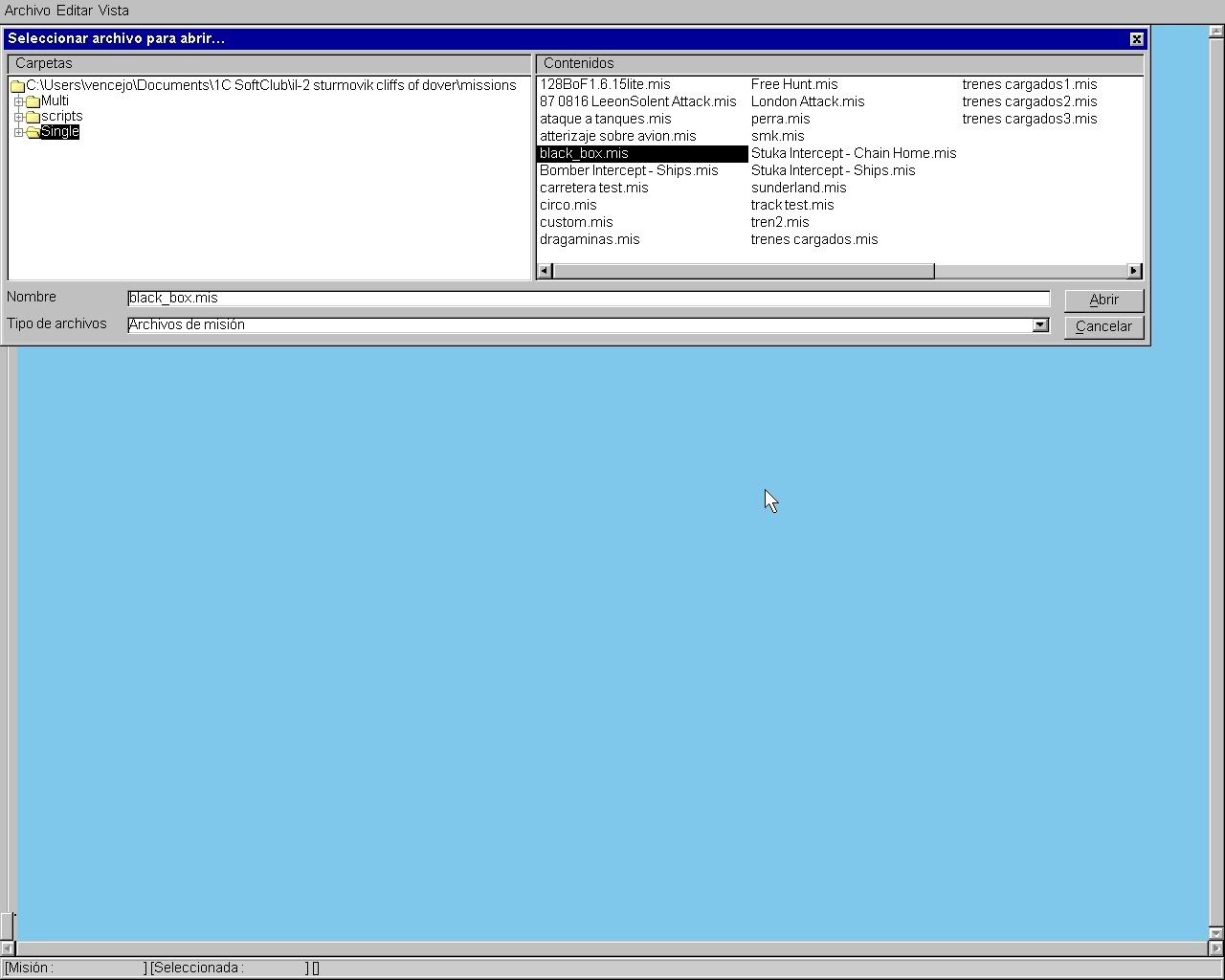 Here the script: 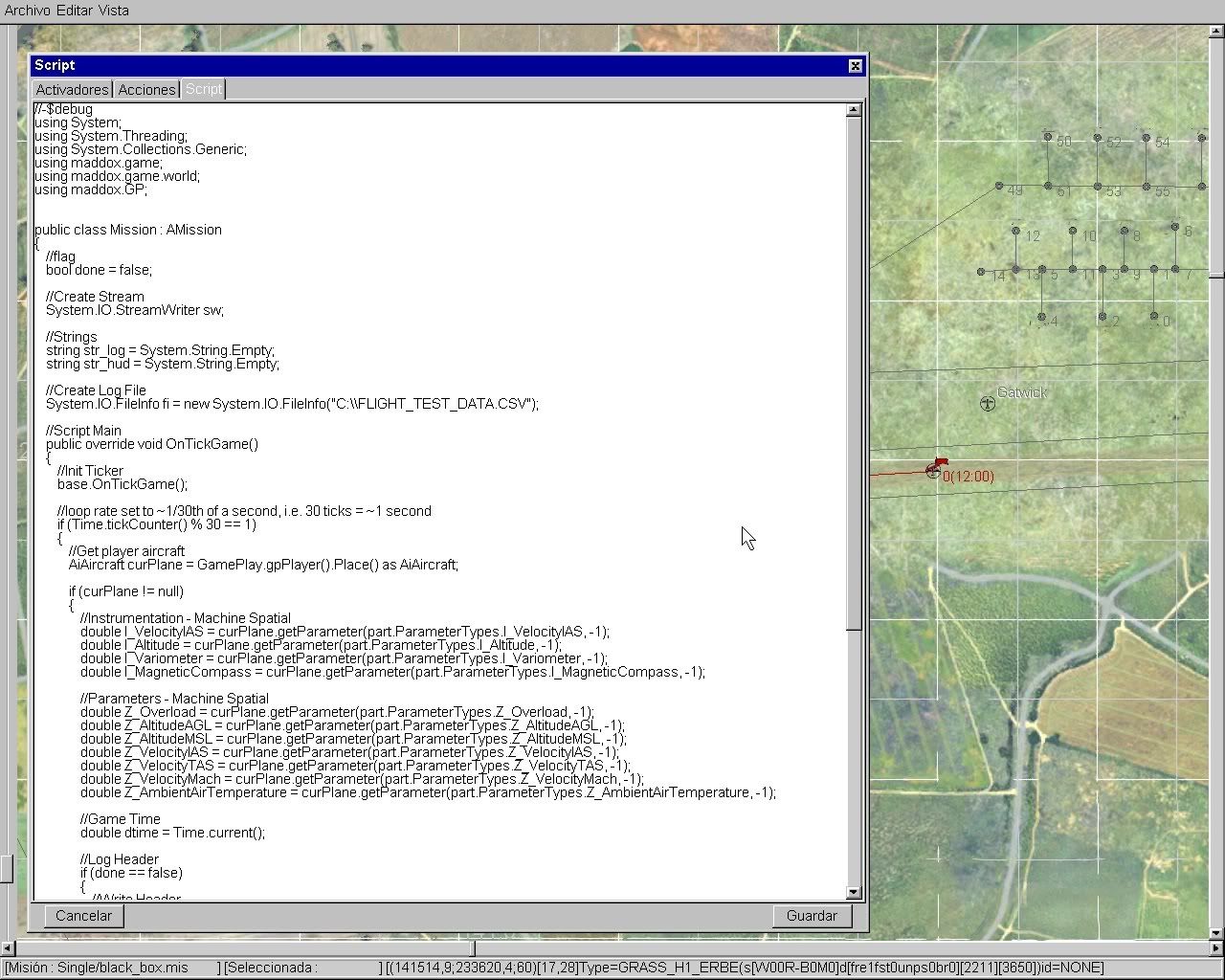 Here the "new window information" (sorry, literal translation from spanish): 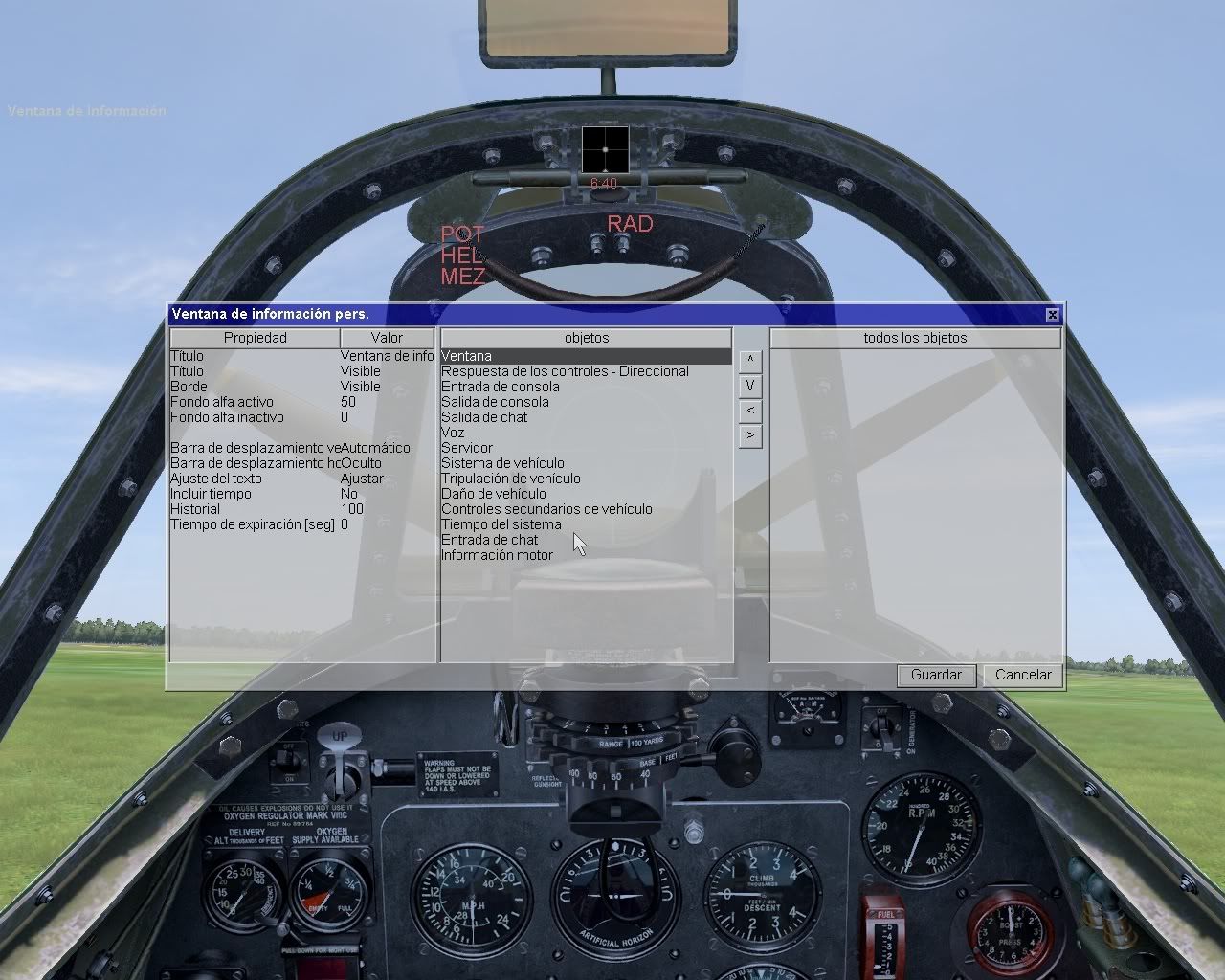 And no information from script, with and without "window information":  Thinking about the possibilities ... will be possible to include information about acceleration  ? ?Thanks.
|
|
#5
11-04-2011, 03:30 AM
|
|||
|
|||
|
Everything looks correct up to this point..
Quote:
As soon as you start the mission you should see the HUD overlay display as shown in the attached pictures.. If your not seeing that.. than there is a problem with the script.. But to be honest I don't know for sure what it is just yet.. Ill can make a new script.. where we basically comment out some items one by one to see which item is causing the error.. Problem is I wont have much free time until sunday. But I love debugging so, if ya can hang in there till sunday I know we can get it to work! Quote:
|
|
#6
11-04-2011, 09:00 AM
|
|||
|
|||
|
Sure I can wait until Sunday ... but no more please...
 Seriously, I like to test the aircraft and I think that your script is very useful, so I'll be here as long as needed. Thank you very much for the effort. Quote:
|
|
#7
11-06-2011, 03:50 PM
|
|||
|
|||
|
Hey partner
I going to re-write the script in a way that will allow you to turn portions of it on and off.. Ill upload them in a bit. I was also thinking of another thing to try right now.. Not 100% sure if you 'need' to do this next step, but it would be very interesting to see if this fixes your problem. You may 'need' to install the FREE Microsoft Visual Studio C# 2010 ESPRESS Again, not 100% sure if you 'need' to, in that I think winXP and win7 comes with the file allready installed but I am not sure. My reasoning a script that only use madox includes wont need this, but, if you start making use of 'other' includes as I have done you might need to install it. Again, give it a try and if it works, we found it, if not, well you can uninstall it.
|
|
#8
11-06-2011, 04:34 PM
|
|||
|
|||
|
You should test the .getParameter(part.ParameterTypes.I_MagneticCompas s, -1); about null value, not every plane has a magnetic compass in game (blenheim for example).
|
|
#9
11-06-2011, 05:20 PM
|
|||
|
|||
|
Quote:
|
|
#10
11-06-2011, 06:20 PM
|
|||
|
|||
|
Quote:
Ok, re-worked the script a little bit for ya. See below Code:
//-$debug
using System;
using maddox.game;
using maddox.game.world;

public class Mission : AMission
{
    //User Control
    bool do_get = true;
    bool do_log = true;
    bool do_hud = true;

    //Define and Init
    AiAircraft cur_Plane;
    double cur_Time = 0.0;
    bool flag_do_once = false;
    double I_VelocityIAS = 0.0;
    double I_Altitude = 0.0;
    double I_Variometer = 0.0;
    double I_Peilzeiger = 0.0;
    double I_MagneticCompass = 0.0;
    double I_Slip = 0.0;
    double Z_Overload = 0.0;
    double Z_AltitudeAGL = 0.0;
    double Z_AltitudeMSL = 0.0;
    double Z_VelocityIAS = 0.0;
    double Z_VelocityTAS = 0.0;
    double Z_VelocityMach = 0.0;
    double Z_AmbientAirTemperature = 0.0;
    string str_log = "";
    string str_hud = "";
    string str_hdr = "";
    string str_tmp = "";

    //Create Stream
    System.IO.StreamWriter sw;

    //Create Log File
    System.IO.FileInfo fi = new System.IO.FileInfo("C:\\BLACK_BOX_DATA.CSV");

    //Script Main
    public override void OnTickGame()
    {
        //Init Ticker
        base.OnTickGame();

        //loop rate set to ~1/30th of a second, i.e. 30 ticks = ~1 second
        if (Time.tickCounter() % 30 == 1)
        {
            //Get player aircraft
            cur_Plane = GamePlay.gpPlayer().Place() as AiAircraft;

            if (cur_Plane != null)
            {
                //Get Data ------------------------------------------------------------------------
                if (do_get)
                {
                    cur_Time                = Time.current();
                    I_MagneticCompass       = cur_Plane.getParameter(part.ParameterTypes.I_MagneticCompass, -1);
                    I_Altitude              = cur_Plane.getParameter(part.ParameterTypes.I_Altitude, -1);
                    I_VelocityIAS           = cur_Plane.getParameter(part.ParameterTypes.I_VelocityIAS, -1);
                    I_Variometer            = cur_Plane.getParameter(part.ParameterTypes.I_Variometer, -1);
                    I_Peilzeiger            = cur_Plane.getParameter(part.ParameterTypes.I_Peilzeiger, -1);
                    I_Slip                  = cur_Plane.getParameter(part.ParameterTypes.I_Slip, -1);
                    Z_Overload              = cur_Plane.getParameter(part.ParameterTypes.Z_Overload, -1);
                    Z_AltitudeAGL           = cur_Plane.getParameter(part.ParameterTypes.Z_AltitudeAGL, -1);
                    Z_AltitudeMSL           = cur_Plane.getParameter(part.ParameterTypes.Z_AltitudeMSL, -1);
                    Z_VelocityIAS           = cur_Plane.getParameter(part.ParameterTypes.Z_VelocityIAS, -1);
                    Z_VelocityTAS           = cur_Plane.getParameter(part.ParameterTypes.Z_VelocityTAS, -1);
                    Z_VelocityMach          = cur_Plane.getParameter(part.ParameterTypes.Z_VelocityMach, -1);
                    Z_AmbientAirTemperature = cur_Plane.getParameter(part.ParameterTypes.Z_AmbientAirTemperature, -1);
                }

                //Display HUD ---------------------------------------------------------------------
                if (do_hud)
                {
                    str_hud = "TIME: " + cur_Time.ToString("0.00") +                    //TIME
                              "    HDG: " + I_MagneticCompass.ToString("0.00") +        //HDG
                              "    ALT: " + I_Altitude.ToString("0.00") +               //ALT
                              "    IAS: " + I_VelocityIAS.ToString("0.00") +            //IAS
                              "    ROC: " + I_Variometer.ToString("0.00") +             //ROC
                              "   TEMP: " + Z_AmbientAirTemperature.ToString("0.00");   //TEMP
                    GamePlay.gpHUDLogCenter(str_hud);
                }

                //Log Data ------------------------------------------------------------------------
                if (do_log)
                {
                    str_hdr =   "TIME,HDG,ALT,IAS,ROC,PEI,SLIP,OL,AGL,MSL,WIAS,WTAS,WMACH,TEMP";
                    str_log =   cur_Time.ToString("0.00") + "," +           //TIME
                                I_MagneticCompass.ToString("0.00") + "," +  //HDG
                                I_Altitude.ToString("0.00") + "," +         //ALT
                                I_VelocityIAS.ToString("0.00") + "," +      //IAS
                                I_Variometer.ToString("0.00") + "," +       //ROC
                                I_Peilzeiger.ToString("0.00") + "," +       //PEI
                                I_Slip.ToString("0.00") + "," +             //SLIP
                                Z_Overload.ToString("0.00") + "," +         //OL
                                Z_AltitudeAGL.ToString("0.00") + "," +      //AGL
                                Z_AltitudeMSL.ToString("0.00") + "," +      //MSL
                                Z_VelocityIAS.ToString("0.00") + "," +      //WIAS
                                Z_VelocityTAS.ToString("0.00") + "," +      //WTAS
                                Z_VelocityMach.ToString("0.00") + "," +     //WMACH
                                Z_AmbientAirTemperature.ToString("0.00");   //TEMP

                    if (flag_do_once == false)
                        str_tmp = str_hdr;
                    else
                        str_tmp = str_log;

                    sw = fi.AppendText();
                    sw.WriteLine(str_tmp);
                    sw.Close();
                }

                //Set Flag
                flag_do_once = true;

            }
        }
    }
}
Code:
    //User Control
    bool do_get = true;
    bool do_log = true;
    bool do_hud = true;
1st TEST Code:
    //User Control
    bool do_get = true;
    bool do_log = false;
    bool do_hud = true;
Than run the 'black_box.mis'. You should see the HUD but you will not be logging any data.. If you see the HUD, than we have narrowed down our search.. If you don't see the HUD goto next test 2nd TEST Code:
    //User Control
    bool do_get = true;
    bool do_log = true;
    bool do_hud = false;
Than run the 'black_box.mis'. You should NOT see the HUD but you should be logging any data.. Let the mission run for a few min, than exit the game, goto the root of your C:\ drive and open the file called 'BLACK_BOX_DATA.CSV' to see if any data was written to the file.. If you see the data in the file, than we have narrowed down our search.. If you don't see data in the file goto next test 3rd TEST Code:
    //User Control
    bool do_get = false;
    bool do_log = true;
    bool do_hud = true;
Than run the 'black_box.mis'. You should see the HUD and you should be logging any data. Let the mission run for a few min, while it is 'see' if all the HUD values are ZERO (0.0), they should be because we did not 'get' any data thus only the init values are displayed. Than exit the game and goto the root of your C:\ drive and open the file called 'BLACK_BOX_DATA.CSV' to see if any data was written to the file.. All the data should be ZERO (0.00) If you saw all ZEROS in the HUD display and you see all ZEROS in the log file than we have narrowed down our error to a 'get' issue If you didn't see the HUD display and the log file is empty.. Than.. well.. shoot Ill have to ponder it some more! ;l PS before you start each TEST above goto the root of your C:\ drive and delete the file called 'BLACK_BOX_DATA.CSV' if there is one.
|
 |
|
|


 Linear Mode

