
|
|
#222
 04-22-2011, 10:03 PM
|
|||
|
|||

Quote:

|
|
#223
04-22-2011, 10:10 PM
|
||||
|
||||
|
I can now see the pre mission aircraft window!
However choosing skins and markings does not stick. In the single missions its always back to the default regardless. Overall another performance boost which is very nice. hasve to test more tomorrow.
|
|
#224
04-22-2011, 10:13 PM
|
||||
|
||||
|
Sounds like im not the only ones experiencing problems with this patch

__________________
 Quote:
Gigabyte X58A-UD5 | Intel i7 930 | Corsair H70 | ATI 5970 | 6GB Kingston DDR3 | Intel 160GB G2 | Win 7 Ultimate 64 Bit |
MONITOR: Acer S243HL. CASE: Thermaltake LEVEL 10. INPUTS: KG13 Warthog, Saitek Pedals, Track IR 4.
|
|
#225
04-22-2011, 10:18 PM
|
|||
|
|||
|
First of all thanks Luthier to you and your team for the speed in fixing things and updating the game. I also really appreciate your honest answers and dedication. You should rest a bit mate!
Well, after testing a bit the patch I noticed no decrease in performance, only that when switching between planes via Ctrl + F2 I still get the frozen screen for about 3 or 4 seconds. Also I noticed that there is a graphic glitch in the other plane indicators (I know, I should fly with them off LOL). Please check my screenshot below: 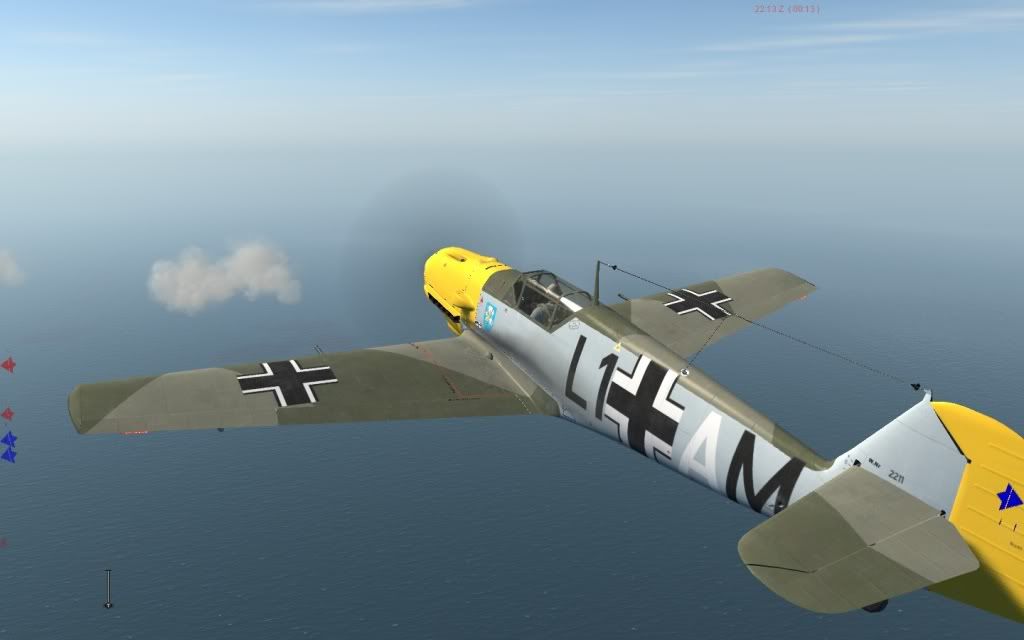 Does it happen to anybody else? EDIT: Could it be possible to add an option under controls to disable TrackIR in EXTERNAL cameras? Is tad annoying having to press F9 each time I use an external cam Last edited by anavas44; 04-22-2011 at 10:28 PM.
|
|
#228
04-22-2011, 10:28 PM
|
|||
|
|||
|
First off, thanks a ton for the update. Great stuff done in so little time.
Really love the way now how missions are loaded, it's possible to change gunbelts etc now in Single Missions before entering them. Quote:
Quote:
I also tried to "tweak" the effects like I did in Il-2 by just removing all files except shake and spring.ffe (parts\core\FF folder) and it had no effect at all. Seems all shaking effects rely just on the shake.ffe. Toned that one down a lot then with the ForceEditor. Some optimizations would be nice, especially the elevator pressure depending on speed and thrust, like it's done in Rise of Flight (reving up the engine on the ground stiffens the elevator without affecting the ailerons). But again, thanks! CoD is getting better every week, I like those "friday development updates"  PS: Had an Appcrash after running down some Defiants after a while. Never flew for so long because of the performance but I've read about crashes already and I hope they'll get sorted out soon. It's like a miracle to be actually able to fly and do something with a below-specs HD3870 even at medium settings + shadows and buildings+trees very low (Black Death AVG 30fps).
__________________
AMD Phenom II X4 955 - 4x 3.2GHz | 8GB Patriot Viper DDR-2-1066@800 | 512MB Powercolor HD3870 SCS3 - Cat. 11.3 Asus M4A78-E - BIOS rev. 1302 | WD Raptor 150GB main HDD | Creative X-Fi eXtreme Music - 6.0.1.1373 Win Vista 64bit SP2 | DirectX 11
|
|
#230
04-22-2011, 10:36 PM
|
|||
|
|||
|
Got patched up without any trouble.
Turned vsync on and was still getting tearing, even though I'd lost approximately 12fps on average, using the Black Death benchmark track. Even worse, started getting major image corruption in-game, with thick lines of bare terrain showing through the ocean, and similar parallel strips of bare green showing through on land. (I see 'Reflected' has posted a picture of something similar.) Turned v-sync back off and was still getting the corrupted image in-game, even after restarting. Saw no difference in anti-aliasing either, whether it was on 8 or turned off, and changing it had no impact on the graphical corruption either. The only video settings I changed were 'V-sync' and, later, 'Anti-aliasing', everything else was left turned on and maxed out as before. I only noticed the graphics corruption after turning v-sync on and restarting the game, but it might have been there from the start. Reverted to the prior version of the game (1.00.14101) and the graphical corruption was gone. Didn't re-enable Windows Aero, will try that and see how it goes... No luck, re-installed the patch, played the Black Death track again and still got the big lines of bare earth showing in the water, with no adjustments made to the video settings, ie. no v-sync enabled and no restart required. Also got a crash to desktop when the Black Death track finished and tried to go back to the player menu screen. Cleared 'Cache' in 1C SoftClub section, no difference. Makes me wonder if I should do a back-up now in case these graphical anomalies are still there with the official version of the patch. GTX580 i7 920 Windows 7 64-bit 1920x1200 Fullscreen
|
 |
|
|


 Linear Mode

