
|
|
#2
 01-28-2012, 05:18 AM
|
||||
|
||||

Hi Matthew
Excellent research work mate,you have a lot of patience. I have used Asisbiz many times as a point of reference for aircraft markings,its an excellent site and in fact the second picture featured below[4D+DC] was made as a result of research on Asisbiz Website. thanks for all the great info Buddy. When I Make My skins for CLoD I add ALL the insignia,Lettering,Crosses,Swastika etc then when in game I turn OFF the "Markings" Button and it looks fine. I have not yet tried taking any screenshots from a recorded track so dont know about emblems being added but if you want to get great Screenies just slow down the game as you are playing it then Pause at an interesting part and press "Print Screen" button then open PhotoShop,MS Paint or Gimp "Paste" then save as JPEG. Here are examples of My skins/Screenshots 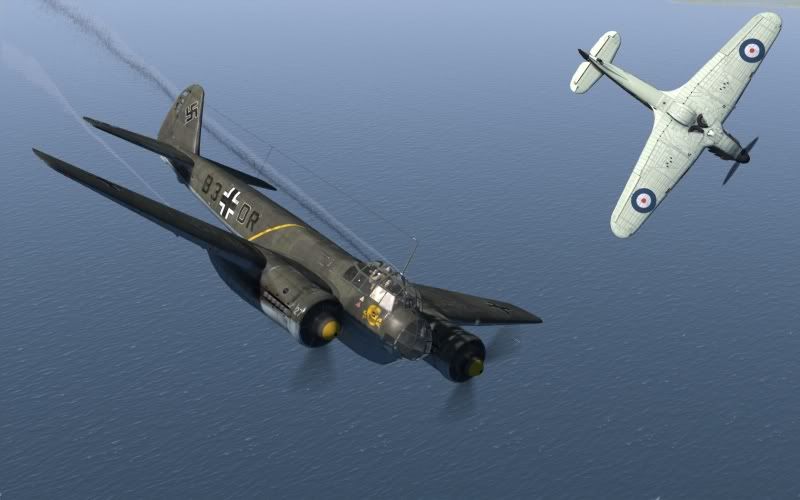 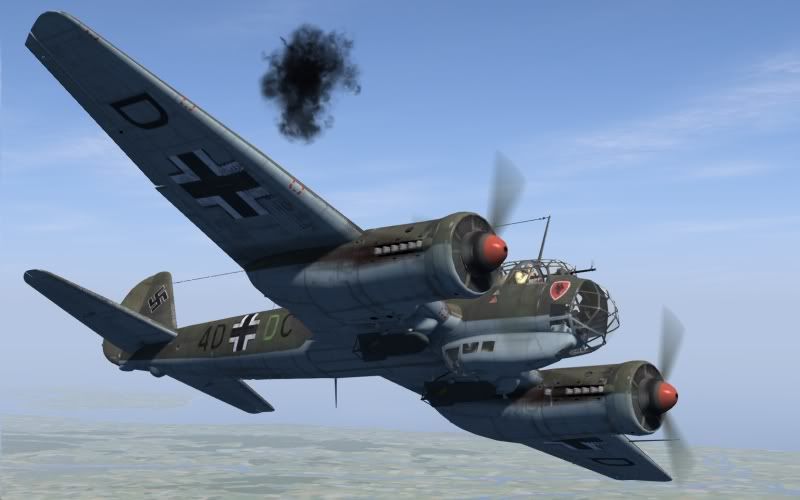 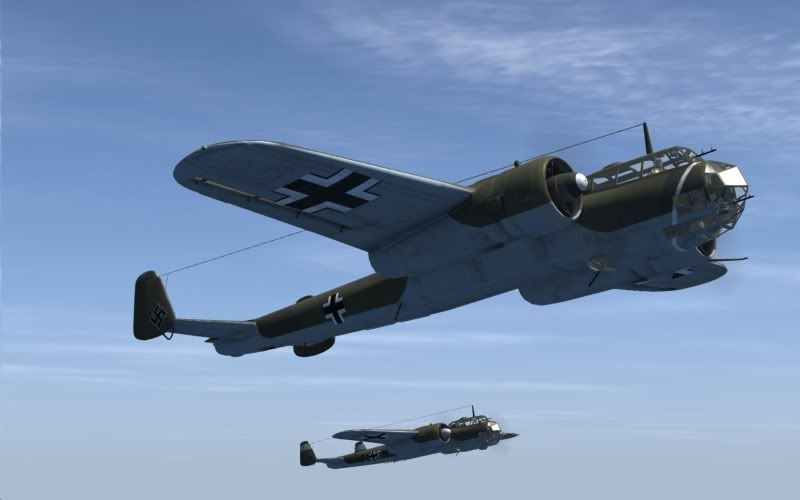 With regard to the Default skin Try geting for example a 109E-3 Skin with No markings then add the swastika, name it "Default.jpg" then add to the 109E-3 folder and see i it overides the original,if so then every time you fly a mission the default 109E-3 should have Swastika on tail. Hope this helps Regards Keith 
Last edited by checkmysix; 01-28-2012 at 05:33 AM. 
|
| Thread Tools | |
| Display Modes | |
|
|




 Threaded Mode