
|
|
|||||||
| Technical threads All discussions about technical issues |
 |
|
|
Thread Tools | Display Modes |
|
#1
 04-01-2011, 08:17 PM
|
||||
|
||||
 Can not get in game
My Problems....
Knowing full well that my PC is well under par and that the best I would expect is a moderately detailed slideshow I wasn't expecting too much yesterday when I eventually got round to installing Steam and Cod at 2 am this morning... So made a Steam account and the good news is that I can apparently play COD on anyones PC so long as I simply log into my Steam account on their PC....This is important to me as I want to experiment on other folks PCs to give me an idea of specs I can replicate cheaper for myself.... AVG Virus detection:The disc installed ok although AVG recognised one of the files as a virus...'rendobj.dll'....This was remedied by turning off the 'Resident Shield' in AVG...or you can add the file path below to....AVG > Overview > Resident Shield > Manage Exceptions > Add Path : C:\Program Files\Steam\steamapps\common\il-2sturmovik cliffs of dover\rendobj.dll Then I ran the game and got this: 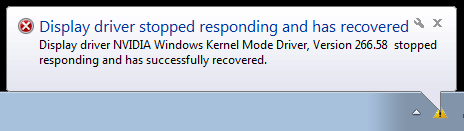 So I updated the Nvidia drivers and still got the same problem on running the game.....and then saw that Luthier had reccommended to backdate the drivers to 257..so did that but still same problem... 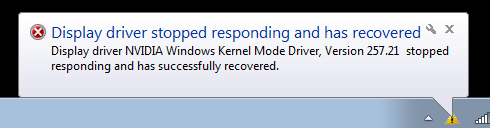 Well, as the game seemed to be actually running I went with the flow....and accessed all the navigational menus...BUT on the pilot and aircraft pages I don't see any image....as below 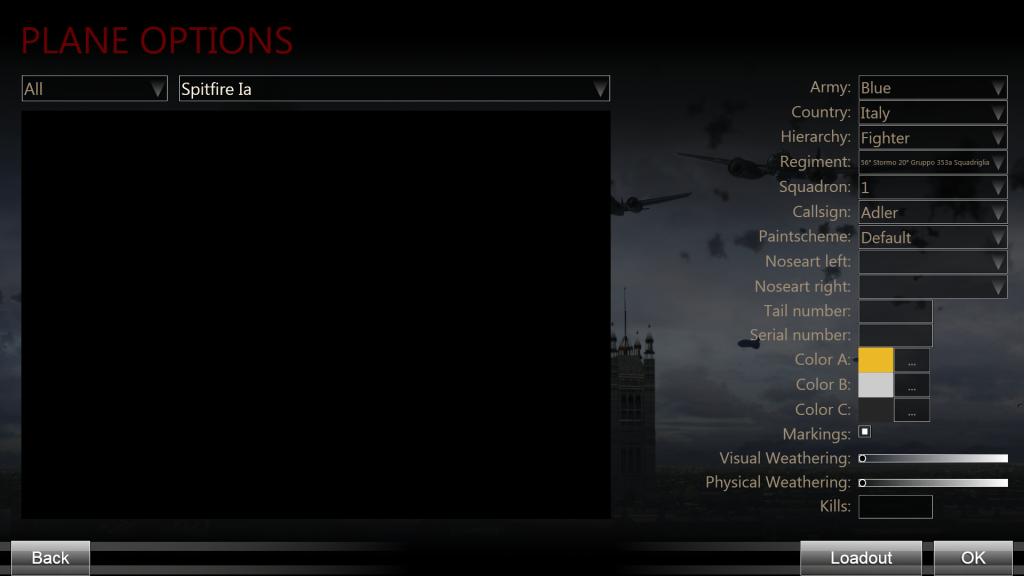 So I decided to go for a quick mission to see if there was any other problems.....and it the game went through its loading mission screenie and the bar indicated it was loading....then it stuck on that screen shot although I could hear the ingame audio....This happened every time I tried a mission....I tried different resolutions too...Still the same old...and with all the ingame graphics set to their lowest... Anyways that was me done at 6am this morning.....I knew there would problems until I get a better PC and just thougth I'd share this with those of you that have lower end PCs like me... I have the specs of my pc here below but realise that I know that this PC won't run COD but it would be nice to just get something ingame or a pic of an aircraft and a pilot to play with...... Nvidia GeForce GT 220 AMD Athlon (tm) 7850 Dual-Core Processor 2.80 GHz 4.00 GB (3.12 GB usable) RAM 32_bit Operating System ASUS M4A78 motherboard Windows 7 Last edited by FS~Lewis; 04-01-2011 at 10:26 PM. 
|
|
#2
04-01-2011, 08:50 PM
|
|||
|
|||
|
same problem, the bar reaches 100%, then I am sent back to the desktop showing COD as minimized on the taskbar, I can hear the sounds and hear movement of the aircraft as I move my throttle and stick, but no image whatsoever. Settings at very low. I suspect it is because my gpu isn't supported.
Geforce 9600
|
|
#3
04-01-2011, 09:03 PM
|
|||
|
|||
|
|
|
#6
04-02-2011, 12:59 PM
|
||||
|
||||
|
SOLUTION
Go to 'conf.ini' and change 'Render=D3D10_0' to 'Render=D3D9_0 C : \ Users \ xxx \ Documents \ 1C SoftClub \ il-2 sturmovik cliffs of dover \ conf Render is about the 5th or 6th down from the top......Remember to copy the original just in case it doesn't work for you and you want to set it back to default.....It worked for me...Now I can get ingame but have the same slow FPS that folks are complaining about...At least I am on the same page as everyone else.....Also I don't get the 'Driver Has Stopped Responding and has Recovered' message either now... On playing the game the graphics look awful....and I get the low FPS which I expected with such a low spec PC...But at least I have a start now... REMEMBER..This worked for me...It may not for you but it is worth a try... The 'Solution' was found here on a German website..... http://forums-de.ubi.com/eve/forums/...4/m/4451055819 I have translated a bit of it and as far as I can see the 'Render' refers to DirectX and by doing the above you set it to DirectX 9....Not sure about this or about the consequences of changing it so anyones input here would be good Good Luck fellas...Hope this helps Last edited by FS~Lewis; 04-02-2011 at 02:08 PM.
|
|
#8
04-03-2011, 12:40 PM
|
||||
|
||||
|
Ok..Sorry it didn't work for you Doc...It didn't work for 't_t4trouble' either.....As I said it worked for me...maybe at least it gives us a clue as to which which ball park the problem is in....

|
|
#9
04-03-2011, 02:32 PM
|
|||
|
|||
|
Ok update,i had another go at this and got it to work thanks Lewis
 I recently formatted my comp so i checked my windows updates and could see that no service packs were installed.So downloaded servicepack 1 to 2 and installed both it works now, yay PS:OS is vista 32bit soon to upgrade to win7 64bit Last edited by t4trouble; 04-03-2011 at 02:35 PM.
|
|
| Thread Tools | |
| Display Modes | |
|
|





 Linear Mode

